
How to review your OGS games with AI on iPhone (2026 workflow)
Connect OGS once, review finished games on iPhone with local KataGo, then turn the one mistake that mattered into SM-2 practice.
TL;DR: Connect OGS once. Every finished game lands in your iPhone review library. Run local KataGo, save the one move that mattered, and solve it again tomorrow. Use SGF export only for one-off files, teaching records, or games someone sends you.
The best mobile OGS review workflow is not a file-transfer ritual. If you play on OGS regularly, the useful setup is account sync: completed games arrive in one library, review starts from there, and the important mistake becomes a problem you will see again.
The screenshots below use GoReview’s bundled sample record in the iPhone simulator. That keeps the flow reproducible without exposing a private OGS account or game history.
Step 1 - connect OGS once
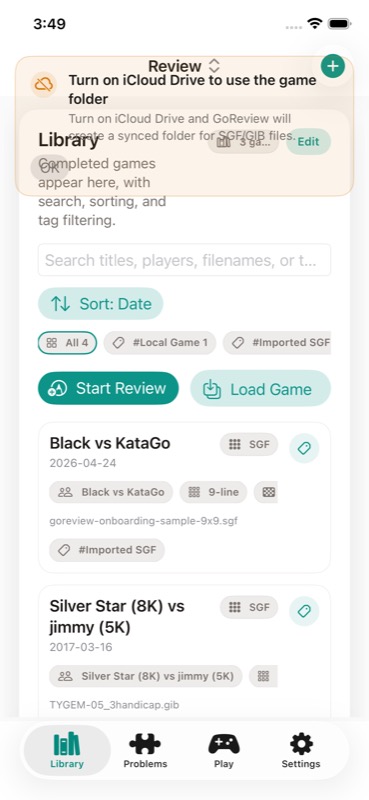
For regular OGS play, connect the account once instead of exporting every game by hand. Completed games can sync into GoReview, then the review flow starts from the library. This is the habit-forming part: play the game where you already play, then review from the same queue each night or the next morning.
The boundary is still important. Review should happen after the result is final, not while the game is live. If a game is unfinished, wait. If a game is private or tied to account visibility, use the account that has permission. OGS remains the game server; GoReview should reduce your review friction, not bypass OGS visibility rules.
Step 2 - run review on the game that matters
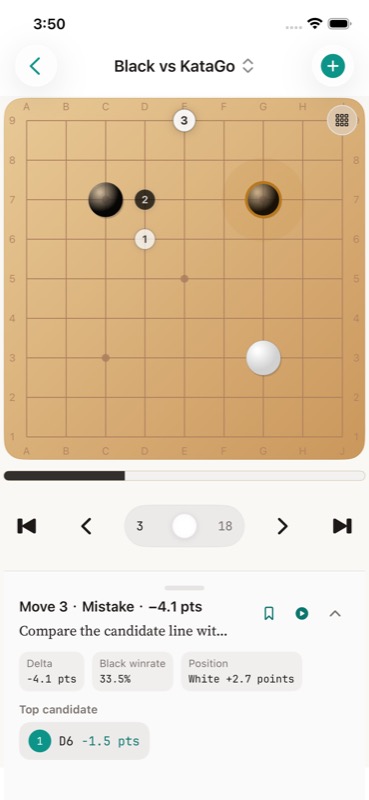
Start with the game that is still fresh in your head. On-device KataGo is useful because the review can happen without sending the board position to a cloud analysis service. You do not need to review every move. You need to identify the practical swing: the move where the game became harder to play, not necessarily the move with the loudest graph change.
The first mistake in AI review is treating every win-rate dip as equally important. In Go, context matters. A ten-point swing in a decided game may be less educational than a two-point shape error in an even middle game. Start with the moves that changed the practical direction of the game, then ask a narrower question: what local shape, timing, or direction did this move misunderstand?
If the engine shows several candidate moves, do not memorize all of them. Pick the candidate that explains the shape. A good review session should leave you with one sentence you can use next time: “protect the cutting point before extending”, “settle the weak group before taking profit”, or “do not answer endgame while the center group is unsettled.”
Step 3 - turn the mistake into a problem
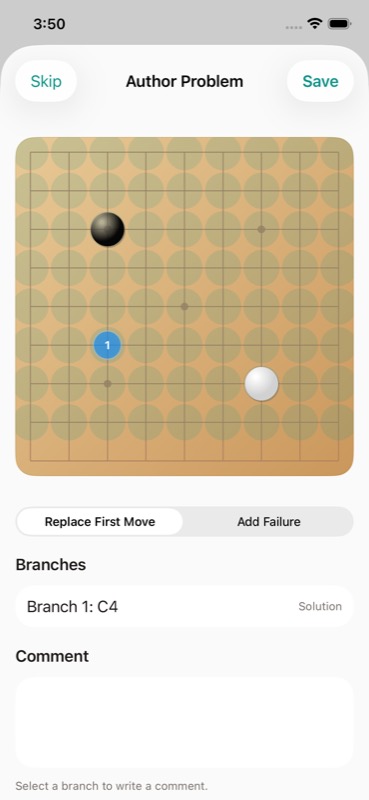
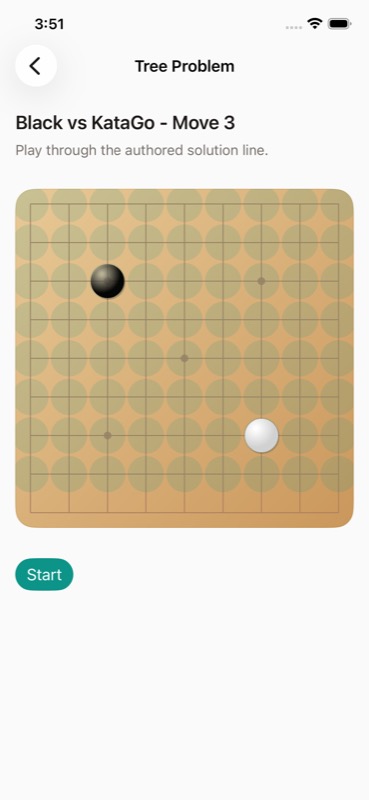
The review is only useful if it changes your next game. Save one or two mistakes as problems and stop there. More than that usually turns into a guilt list, not a training plan. The best saved problems are positions where the next move has a reusable reason, not just a high engine delta.
The right saved problem has a question you can recognize before reading. “Where is the urgent weakness?” is better than “KataGo said this was -4.1 points.” “Which group must be settled before profit?” is better than “the graph dipped here.” Engine delta finds the candidate; the problem should encode the lesson.
This is the difference between review and training. Reading a review explains a game that already happened. Saving a mistake creates a future test.
Step 4 - solve it tomorrow
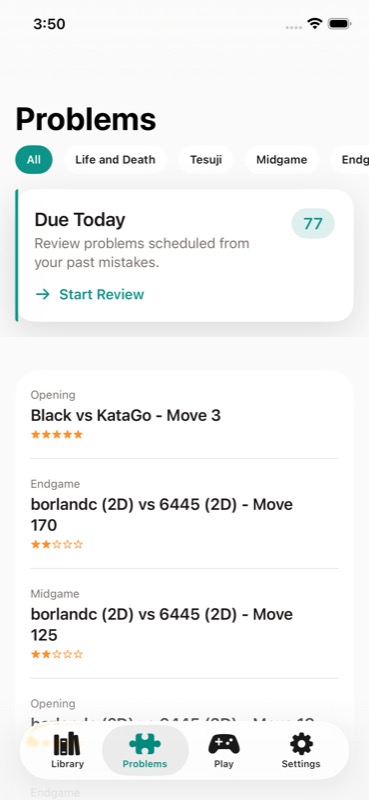
After saving, solve the problem later without looking at the answer. If you miss it again, that is not failure; it means the position is worth scheduling sooner. This is where a mobile review workflow pays off. You can play on OGS at night, review the game, and solve the mistake again on the train the next morning. If you accepted the iCloud Drive prompt on first launch, the same library and practice state follows you across iPhone and iPad; if you declined it, everything stays on the one device you reviewed on.
GoReview uses SM-2-style spaced repetition for this queue. You are not just collecting bookmarks from old games. The positions you miss return sooner; the positions you solve cleanly move further out. For real-game mistakes, that is often more useful than doing a random tsumego set that never touches the shape you keep mishandling in your own OGS games.
For this OGS workflow, keep the rule simple: one game, one saved mistake, one future solve.
What if my game is not on OGS?
Use SGF for one-off files, teaching records, and other servers.
OGS still provides a normal SGF export path. On the finished game page, use the SGF download button after scoring is complete. The official OGS guide notes that games with analysis disabled cannot be downloaded as SGF until the game has concluded.
A normal 19x19 SGF is usually only a few KB, but OGS SGFs can include the chat log. Treat files from teaching games or private games as personal records before sharing them.
On iPhone, the boring file handoff is best: Files, Share Sheet, AirDrop, or iCloud Drive. Do not zip a single SGF unless you are sending a batch. For bulk OGS archives, use official OGS developer resources with authentication and respectful pacing instead of scraping pages.
For games from Tygem, Fox, KGS, IGS, or a teacher's archive, the same principle applies: get a clean SGF or supported game file, import it, check board size and player colors, then run the same review-to-problem loop.
How GoReview handles this
GoReview keeps the workflow narrow on purpose. It is not trying to replace OGS as the place you play. OGS remains the game server. GoReview is the review library: import the finished game, run analysis, save the important mistake, and let the same study queue follow you across Apple devices.
That is the useful distinction. A desktop analysis GUI is still the right tool when you want to sit for an hour and branch through variations. GoReview’s current public path is different: OGS sync or SGF import, local KataGo on iPhone, the review graph as a triage surface, then one saved problem that returns later through SM-2 scheduling. The upcoming Web Study Desk is the larger-screen direction for deeper review and variation work, but it is not the starting point today. If your goal is to review OGS games on a phone and keep the mistake for tomorrow, the mobile pipeline is the feature.
References
| Source | Use in this guide |
|---|---|
| OGS playing games guide | Confirms the game-page SGF download path and the concluded-game restriction. |
| OGS developer resources | Official entry point for REST API, realtime API, and OAuth2 documentation. |
| KataGo analysis engine documentation | Explains the analysis-engine model used by tools that analyze whole games or selected positions. |
| David J. Wu, Accelerating Self-Play Learning in Go | Primary paper for KataGo's training approach and why it became a practical open-source Go engine. |
| SuperMemo history of spaced repetition | Background for SM-2 and the review-scheduling idea behind saving only a small number of mistakes. |
| GoReview product page | Current product positioning for iPhone/iPad review, Web Study Desk development, OGS sync, and SRS practice. |